LongerDays Gives Back: Colorectal Cancer Awareness
The month of March is Colorectal Cancer Awareness Month, during which organizations, healthcare professionals, and advocates raise awareness, encourage screenings, and promote lifestyle changes that may reduce risk. There are approximately 150,000 cases of colorectal cancer diagnosed each year in the United States. According to the American Cancer Society, it is the fourth most common cancer among men and women in the United States. Together with her Twitch friends LadyAmelthea and TheRealRascallyGrandpa, LongerDays employee Amelia, aka...
read moreEmployee Spotlight: Amy Light
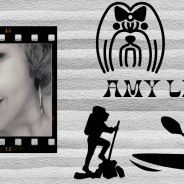
We want you to know more about our wonderful people (the lifeblood of our business), so we’re continuing an Employee Spotlight series to share the more personal side of LongerDays! Today’s Employee Spotlight is Amy Light! 1. What is your name? Amy Light 2. What is your job title? Team Lead 3. How long have you worked for LongerDays? 1 year (since January 2021) 4. Hometown? Where do you live now? Inhabitants at your residence (this includes pets, oh and any family members or roommates!) I’m originally from...
read moreEmployee Spotlight: Brittney Previe

We want you to know more about our wonderful people (the lifeblood of our business), so we’re continuing an Employee Spotlight series to share the more personal side of LongerDays! We asked a series of questions and decided to share the best answers for all the world to see. Today’s Employee Spotlight is Brittney Previe! 1. What is your name? Brittney Previe 2. What is your job title? Virtual Assistant and Team Lead 3. How long have you worked for LongerDays? 14 months 4. Hometown? Where do you live now? Hometown is Chicago, IL but I’m...
read moreStock Photo Dos and Don’ts

It all seems so easy – do a quick search through any of the zillion stock photo sites on the internet, find an image that fits your blog or company, upload to your site, and call it a day… But what are your stock photo choices saying about your company or service? We’ve all seen those bland photos of people shaking hands over a desk, perfectly costumed in corporate attire, or a smiling young woman on a laptop displaying nondescript business graphs… And while we mean no offense to the models and photographers who create...
read moreEmployee Spotlight: Kyle Van Dam

We want you to know more about our wonderful people (the lifeblood of our business), so we’re continuing an Employee Spotlight series to share the more personal side of LongerDays! We asked a series of questions and decided to share the best answers for all the world to see. Today’s Employee Spotlight is Kyle Van Dam! 1. What is your name? Hi, my name is *chika chika* Spat. Well, my government name is Kyle, but no one really calls me that. 2. What is your job title? I’m a Virtual Assistant. I’m like a T-1000, but helpful. I am also a Team...
read moreEmployee Spotlight: Alex Wibert
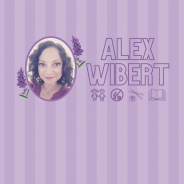
We want you to know more about our wonderful people (the lifeblood of our business), so we’re continuing an Employee Spotlight series to share the more personal side of LongerDays! We asked a series of questions and decided to share the best answers for all the world to see. Today’s Employee Spotlight is Alex Wibert! 1. What is your name? Alexandria (Alex) Wibert 2. What is your job title? Virtual Assistant 3. How long have you worked for LongerDays? My first day was October 19, 2020! 4. Hometown? Where do you live now? I was born in Battle...
read moreEmployee Spotlight: Emmy Way

We want you to know more about our wonderful people (the lifeblood of our business), so we’re continuing an Employee Spotlight series to share the more personal side of LongerDays! We asked a series of questions and decided to share the best answers for all the world to see. Today’s Employee Spotlight is Emmy Way! 1. What is your name? Emmy Way 2. What is your job title? Team Lead 3. How long have you worked for LongerDays? 2 years in March! 4. Hometown? Where do you live now? My hometown is Alpena, MI – right now I’m living in downtown...
read moreWorking From Home Still Works for LongerDays
Work from home! That’s the dream, isn’t it? I won’t lie – when businesses started temporarily closing down, I was more than excited to drastically reduce my morning commute to a 30-second carpeted walk (socks optional), with the only risk of detours coming from the occasional pet related pile-up on Hallway US-31. Fast forward 6 weeks… I’m thankfully still on the clock and working from my own impromptu home office. LongerDays has always been unique because we’re a team of virtual administrative assistants, designers, editors, and...
read moreThe Strange Upsides of Working From Home
Monday morning… Computer’s running, coffee’s on. I’ve checked my email and logged into the various platforms, but something’s different. Maybe it’s the pajamas, the Groundhog’s Day feeling of being in the same few rooms for the last couple weeks, the vague existential dread of a worldwide pandemic (and the ensuing pandemonium), or the general isolation from the people I care about… But something’s definitely different. This is the state of working from home, but it doesn’t all have to be doom and gloom. It’s worth noting right out of...
read moreWorking Remote: When to Pick Up The Phone
As someone who has worked remotely for nearly a decade, I know how easy it is to develop a heavy reliance on communication and collaboration tools like Slack, Swizzy, and Trello. They are so quick and convenient, they often become the only communication tools we use. Still, there are some situations where it makes sense to ping the person on the other end with “can we talk?” Here are some situations best handled by phone or video chat: Avoiding Ambiguity – When you start typing an explanation and find yourself inserting caveats, adding...
read more